Migration as Architecture Upgrade: The Strategy Behind a Good MadCap Flare Conversion

Looking for the service page? This post is the thinking behind the approach. For scope, transform rules, and pricing, see MadCap Flare conversion — or MadCap Flare migration services for the full project view.
A MadCap Flare conversion is usually treated as a logistics problem — move content from the old tool to the new one, preserve formatting, hit the deadline. That approach guarantees you will carry every structural problem from the old system into the new one. The migration is your best opportunity to fix what was always broken. Here is how to use it.
Why Migrations Are Architecture Opportunities
Every documentation system accumulates structural debt. Inconsistent heading levels. Terminology that drifted across authors and years. Topics that were designed for a product version three releases ago. Formatting workarounds that made sense in the old tool but have no equivalent in the new one.
In normal operations, fixing this debt is nearly impossible to justify. The content works. Users can find answers. The cost of a systematic cleanup competes with every other priority on the backlog, and it loses every time.
A migration changes the calculus. You are already touching every topic. You are already rebuilding templates and stylesheets. You are already revalidating output. The marginal cost of fixing structural issues during migration is a fraction of what it would cost as a standalone project. The question is not whether you can afford to fix the architecture during migration. It is whether you can afford not to.
The Lift-and-Shift Trap
The most common migration approach is lift-and-shift: convert content from the old format to MadCap Flare format with maximum fidelity. Every heading, every inline style, every table preserved exactly as it was. This feels safe. Stakeholders see familiar output and sign off quickly.
But lift-and-shift imports the old system's limitations as the new system's baseline. Problems baked into the source — inconsistent styles, hard-coded formatting, missing metadata, duplicated content — arrive in Flare fully intact. Worse, they now look intentional because they survived the migration process.
Six months later, writers are working around the same problems in a new tool. The migration delivered a format change, not an improvement. The architecture debt remains, and now it is harder to address because "we just migrated and everything was reviewed."
What an Architecture-First Migration Looks Like
An architecture-first MadCap Flare conversion treats the migration as a design project, not a copy operation. Before any content moves, you define what the target architecture should be. Then you use the migration process to close the gap between current state and target state.
Here is the sequence that works.
1. Audit Before You Convert
Before converting a single file, analyze the source content for structural patterns and problems. You are looking for:
- Heading level usage. Are headings used consistently, or do some authors skip levels? Are headings used for visual formatting rather than structure?
- Style usage. How many distinct styles exist? How many are actually needed? Which ones are author-created workarounds for limitations in the old tool?
- Topic granularity. Are topics focused on a single concept, or do mega-topics cover everything about a feature in one long page?
- Content duplication. Are the same procedures repeated across multiple topics? Is the same warning or note copy-pasted rather than reused?
- Terminology. Does the documentation use consistent terms for the same concepts, or has terminology drifted across authors and releases?
This audit gives you the scope for the architecture work — you know exactly what needs to change and can estimate the effort accurately.
2. Define the Target Architecture
Based on the audit, define the structural standards the migrated content should meet. This is a specification, not a wish list.
- Topic model. One concept, one task, or one reference item per topic. Set the boundary and apply it uniformly.
- Heading hierarchy. H1 for the topic title, H2 for major sections, H3 for subsections. No skipping. No headings for visual emphasis.
- Style inventory. Map old styles to new ones. Identify styles to eliminate. In MadCap Flare, set up your stylesheet before migration, not after.
- Reuse strategy. Identify content that should become snippets, variables, or conditions. Set up reuse components in Flare before importing content.
- Metadata requirements. Define what every topic must have — title, description, keywords, audience tags. Build the topic template with these fields from the start.
3. Convert With Transformation Rules
With the target architecture defined, set up the conversion to apply transformation rules rather than performing a straight format translation.
- Map old styles to new styles based on your style inventory, not one-to-one
- Split mega-topics into focused topics during conversion
- Strip inline formatting that should be handled by stylesheets
- Flag content that needs manual review for terminology, accuracy, or restructuring
- Apply metadata templates so every imported topic has the required fields, even if they need to be filled in manually
This is where the migration becomes an architecture upgrade. The conversion itself does part of the work. The rest is targeted manual effort on flagged items, which is far more efficient than reviewing every topic from scratch.
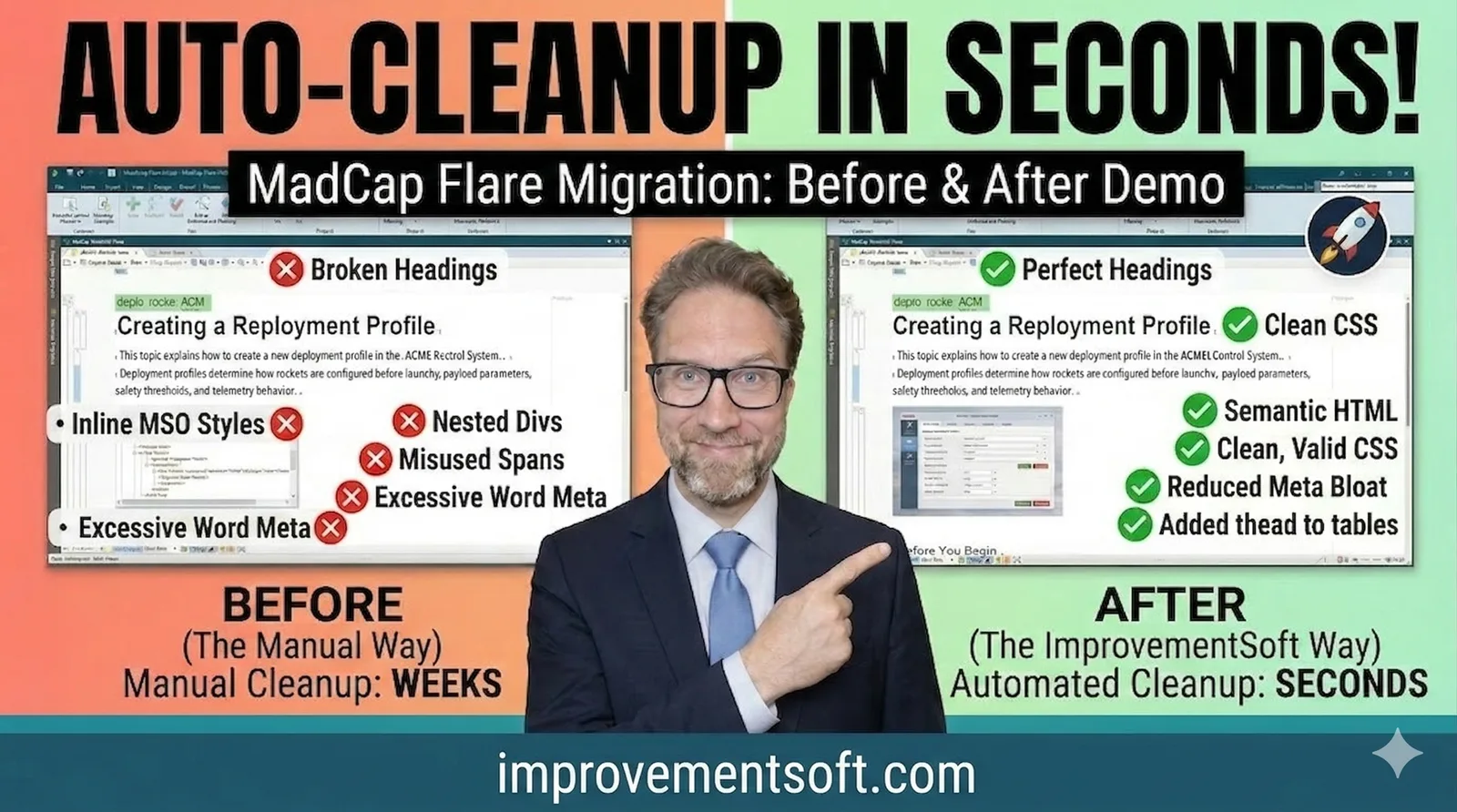
Here is a short demo showing what this looks like in practice — taking a messy imported topic and cleaning it up during migration:
4. Enforce Standards From Day One
The migrated content now meets your target architecture. The next problem is keeping it there. Without enforcement, standards drift back toward inconsistency within months.
Set up automated quality gates before the first writer opens the migrated project. Encode your heading conventions, terminology rules, and style restrictions into tools that check compliance in real time. The Mad Quality Plugin does this directly inside MadCap Flare — writers see violations while authoring, not weeks later during review. This is the step most migration projects skip, and it is the step that determines whether the architecture upgrade survives contact with daily production.
What You Gain
A well-executed architecture-first MadCap Flare conversion delivers compound returns. Maintenance costs drop because clean, consistent content is faster to update — writers spend time on substance, not on deciphering inherited formatting. Content reuse through snippets and conditions actually works when topics are properly scoped and styles are consistent. The documentation is AI-ready from day one, with the structured terminology and clean metadata that AI tools require. And scaling — adding writers, topics, languages, or output formats — becomes straightforward instead of exposing structural debt at every turn.
You will never have a better opportunity to fix your documentation architecture than during a migration. The content is already in motion. The budget is already allocated. The team is already prepared for change. Use that window to build the foundation right, not to replicate what you had before in a new format.
If you are planning a MadCap Flare conversion and want to assess the structural opportunities in your current content, run the free bottleneck diagnosis. For the full project view including audit, target-architecture design, transform rules, validation, and handover, see MadCap Flare migration services. Or, if you already know the source format you're moving from, jump straight to the source-specific guide: FrameMaker to Flare, RoboHelp to Flare, or Word to Flare.